PowerGramo makes recording skype calls a easy task:
1. Start PowerGramo. Start skype and log in. Now the PowerGramo
status bar shows "Ready".
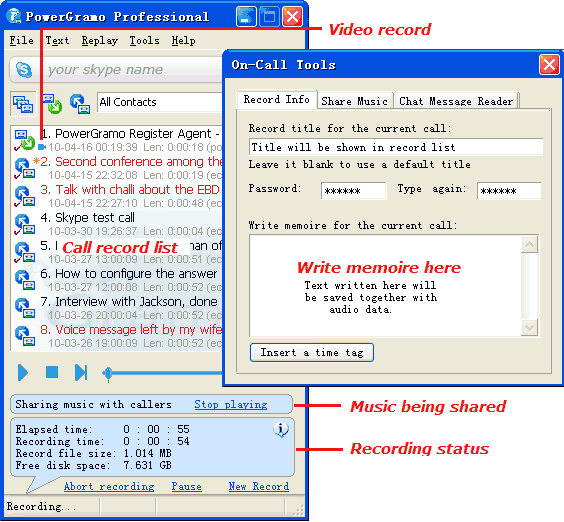
2. When you place a skype call, PowerGramo begins to record
automatically and its statusbar shows "Recording...".
A memo window will pop up where you can write some memo
and add time tags for the current ongoing call, shown as
the following image:
Also when you are in a call, all your text chat messages
will be saved together with the audio data.
3. When you finish a call, a new skype call record will
be stored and added into the record list window.
Share music with callers during a skype call:
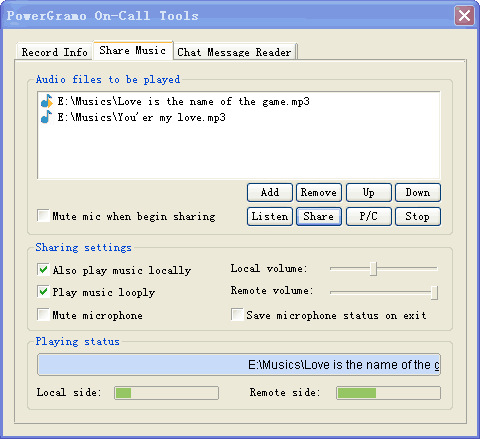
If you are to present audio data
to callers or just play music adding life to conversations,
PowerGramo helps doing that. Music sharing is facilitated
by the following window:
Most flexible and enhanced skype answer machine:
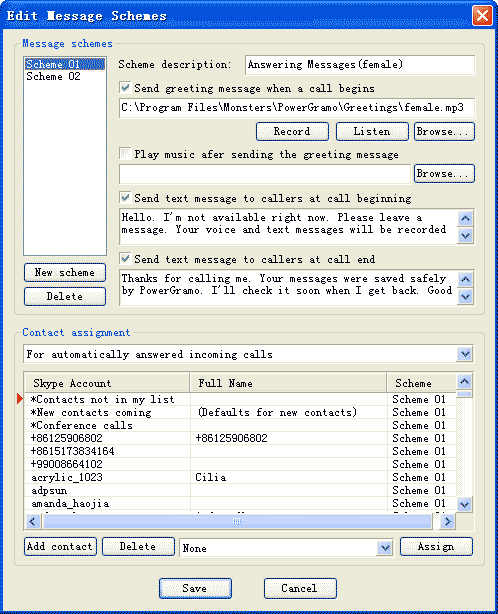
Actually it's more accurate to name it "automatic
message machine", since it gives much more than an
answer machine usually gives. You may make it automatically
answer incoming calls and send personalized audio/text messages
to callers. Automatic messages can also be applied to outgoing
calls or manually answered calls.
Multiple skype accounts supported:
The skype account, with which PowerGramo is currently connected,
will be shown in the top bar of the main window. When you
start PowerGramo initially without running Skype, the bar
shows "No skype account is selected". Then you
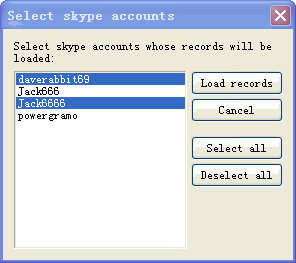
can click menu "File | Select Skype Accounts",
in the following window, to choose multiple skype accounts
whose records are to be loaded.
If you start Skype, the account currently login will be
selected automatically, and the menu "File | Select
Skype Accounts" will be unavailable.
Easily convert skype recordings into MP3/WMA files:
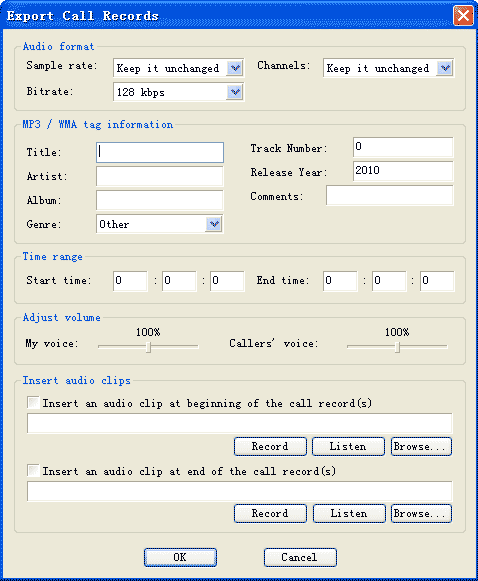
Select menu command "File | Export Records As | MP3/WMA/OGG/WAV/AVI
Files" to convert skype recordings to popular mp3/wma/ogg/wav
files easily. In the following window, you can set tag information
for the exported file or change some parameters of the audio
data. Also you can do a partial exporting, adjust two side
volumes separately or insert audio clips into the audio
file.
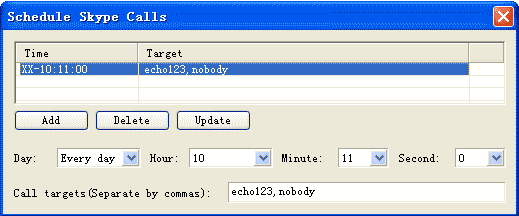
Schedule skype calls:
Extra offline audio recorder and audio convertor:
PowerGramo Professional is equipped with some useful audio
extra tools. One of them is the offline audio recorder,
an easy-to-use audio recorder you can use to record all
kinds of sound on your computer into MP3 / WMA /
OGG / WAV files. It's able to record audio from
microphones, line-in, phone line, cassette tape, video tape
and more other input devices. The audio recorder also supports
recording from other windows applications, like winamp,
media player, etc. This makes it very easy to record online
radio, broadcast and other internet sound. It simply makes
a complete audio recording studio of your computer! Just
click menu "Tools | Offline Audio Recorder", you
will see the window of the recorder.
Click
here to view a screenshot
Another useful extra tool is an audio convertor that converts
audio format between any two of WMA, WAV, MP3 and OGG.
Click here
to view a screenshot
Works in conjunction with PowerGramo Record Center
to make enterprise solutions:
Click here to see more details about
PowerGramo Record Center.