 |
 |
PowerGramo Record Center is a freeware, just
download
it now (version 2.2).
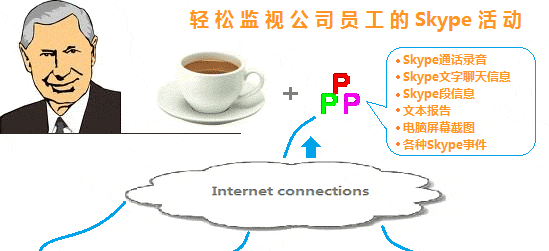
The Record Center is a server tool that enables you to receive
call records via internet from skype users running PowerGramo
Enterprise, and manage the call records collectively. Also
it monitors skype users' chat history, skype online status
and other events.
If you are managing a large number of call records that
recorded by multiple PowerGramo users, then the PowerGramo
Record Center will greadtly facilitate your work.
For example, you can run PowerGramo Record Center and install
PowerGramo Enterprise for each employee in your company.
All calls made by your employee will be recorded and call
records, also chat messages, will be automatically sent
to the server computer. Then you can listen to all records
and check event history simply on the server computer.
Note: PowerGramo Record Center works in conjunction with
PowerGramo Enterprise. To download PowerGramo Enterprise,
click here.
Note: PowerGramo Record Center can be deployed in a local
network or over internet. For the second case, the server
machine must have a public IP address and the firewall,
if any, should be configured to allow access to port 8393.
Four steps to set up an enterprise skype recording
network:
Step 1. Install
PowerGramo
Enterprise client for each skype user that you will collect
call records from. PowerGramo Enterprise will record skype
calls and send records to PowerGramo Record Center automatically.
 Step 2.
Download
Step 2.
Download
and install PowerGramo Record Center on a server computer
that
has a network connection with client
computers. Following image shows main window of PowerGramo
Record Center. Switch to "Server" page, and click
button "Start server program" to start Record Center
service.
 Step 3.
At the server side, create an account for each skype user.
To create an account, just in PowerGramo Record Center switch
to the "Users" page and click button "New User".
The account id is just the same as that of a skype account.
 Step 4.
In PowerGramo Enterprise, click menu "Tools | Record
Center Client" and in subsequent "PowerGramo Record
Center Client" window fill in the server's IP address
or network name.

When the user log in Skype, PowerGramo Enterprise will automatically
connect with the server of PowerGramo Record Center and a
network connection will be established between PowerGramo
and the server. Once the user complete recording a call, the
record file will be sent to the server computer via network.
Also other events, such as changing of skype online status,
will be logged on the server.


